Spinner Evolution Planners & Helpers
Practical tools that turn tier-list advice into the next coins you should spend.
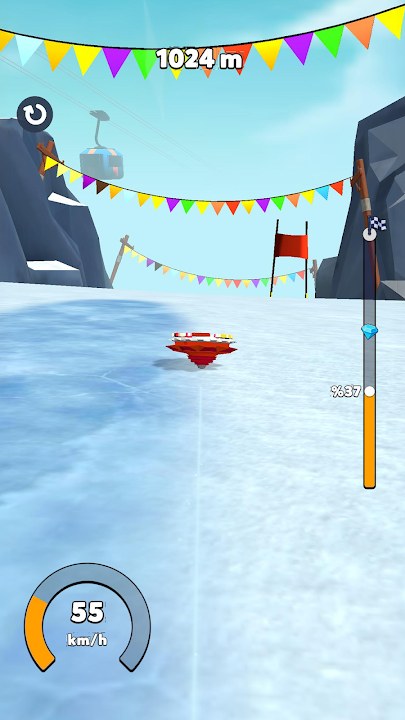
The Tools Hub collects interactive and worksheet-style helpers for Spinner Evolution. HyperMonk’s game is easy to tap and hard to optimize: every run drops coins, gem rewards tempt impulse buys, and new levels from Jungle to Snow keep shifting which statistic deserves S-tier. Tools exist so you spend with a plan instead of lighting up every upgrade the moment it appears.
Right now the flagship helper is the Upgrade Planner. Use it together with the Upgrade Priority Tier List, then validate results on real courses via Distance Records and Unlock Levels.
Why a planner beats vibes
Casual racers punish random spending. A spinner with flashy Speed and a pathetic Launch Power still fails the opening. A durable brick that never builds momentum stalls on Beach glide segments. The planner’s job is to force three questions before you tap buy:
- What ended my last two runs?
- Which environment am I practicing (Farm, Jungle, Beach, Toy, Space, Snow)?
- Am I saving diamonds for a nearby evolution clear?
Answer those, mark priorities, spend a focused chunk, then retest. That loop is faster than watching another “best codes” video—especially while the Codes Hub correctly reports no verified official promo codes.
Featured tool: Upgrade Planner
Open the Upgrade Planner when you are about to invest coins or gems. It is built around Spinner Evolution’s real stats:
- Launch Power — opening quality
- Speed — distance on clean lines
- Durability — survival through smash terrain
- Overall — flex / balance slot
Suggested planner workflow
- Warm up with one calibration run on your target level.
- Note the failure mode in plain language (“died on second Jungle cluster”).
- Rank that stat S in the planner; park secondary stats at A/B.
- Buy only until the next meaningful breakpoint—not every single level available.
- Rerun the same level twice.
- If the failure mode changed, reshuffle tiers; if not, keep investing or fix controls via Controls.
- If a form unlock is close, freeze discretionary gem spends and read How to Evolve plus Spinner Forms.
How tools connect to guides
Tools do not replace tutorials; they operationalize them.
| Need | Guide | Tool action |
|---|---|---|
| First hour clarity | Getting Started | Planner: Launch Power then Speed |
| Timing issues | Controls | Delay big spends until launches stabilize |
| Form gates | How to Evolve | Hold gems; coin-fix the limiter |
| Personal bests | Distance Records | Retest after each planner batch |
| New stages | Unlock Levels + Updates | Rebuild S-tier for the new theme |
Session templates
Short mobile session (10–15 minutes)
- One scout run
- Planner mark
- One focused upgrade batch
- Two attempt runs
- Stop before fatigue ruins launch timing
Longer record session
- Review Tier List Hub notes for your environment
- Planner pass
- Alternating upgrade / attempt blocks
- Log the best distance and what still ends runs
- Optional careful rewarded ad only after the plan is set—not instead of it
Post-patch session
- Confirm version themes on Updates (Jungle, Toy+Beach in 0.3.4, Space+Snow in 0.3.5)
- Scout without gem panic
- Rebuild the planner from scratch for the new layout
- Update form goals if a clear is now realistic
What this hub will not do
- Host malware “mod menus” or unofficial APKs
- Invent currency calculators based on fake leak numbers
- Promise that any tool replaces practice
- List fabricated redeem codes as a progression tool
If HyperMonk later adds official calculators or events, we will link them from the Links Hub and summarize impacts here.
Tips for honest progression
- Coins are the everyday fuel; gems are strategic.
- Ads can supplement income; they should not dictate your upgrade order.
- IAP is optional—buy only when it accelerates a planned bottleneck.
- After evolution, recalibrate the planner; new forms can change impact feel.
- Keep store installs official (Play Store / App Store) so tool advice matches a legitimate build.
Quick links
- Upgrade Planner — primary tool
- Tier List Hub — S-tier logic
- Guides Hub — full how-to index
- Spinner Forms — evolution roster mindset
- Codes Hub — scam-safe code status
- Updates — patch themes
Bookmark this Tools Hub, open the Upgrade Planner before big spends, and let every coin batch answer a specific failure mode. That is how Spinner Evolution progression stays satisfying from Farm all the way through Snow.
Frequently Asked Questions
Quick answers to the most common Spinner Evolution questions.
What tools does this wiki offer for Spinner Evolution?
The flagship helper is the Upgrade Planner. Use it to rank Launch Power, Speed, Durability, and Overall before spending coins or gems.
How do I use the Upgrade Planner?
Scout a run, mark the statistic that ended it as S-tier, spend a focused batch, retest the same level, then reshuffle priorities if the failure mode changed.
Should I open the planner after every patch?
Yes after content updates like Jungle, Toy, Beach, Space, or Snow. New layouts often change which upgrade deserves priority.
Can tools replace learning controls?
No. Fix aim and release with the Controls guide first; the planner multiplies good timing, it does not create it.
Do I need codes to use these tools?
No. There are no verified official promo codes right now. Plan real coins and gems from gameplay, missions, careful ads, or official IAP.